

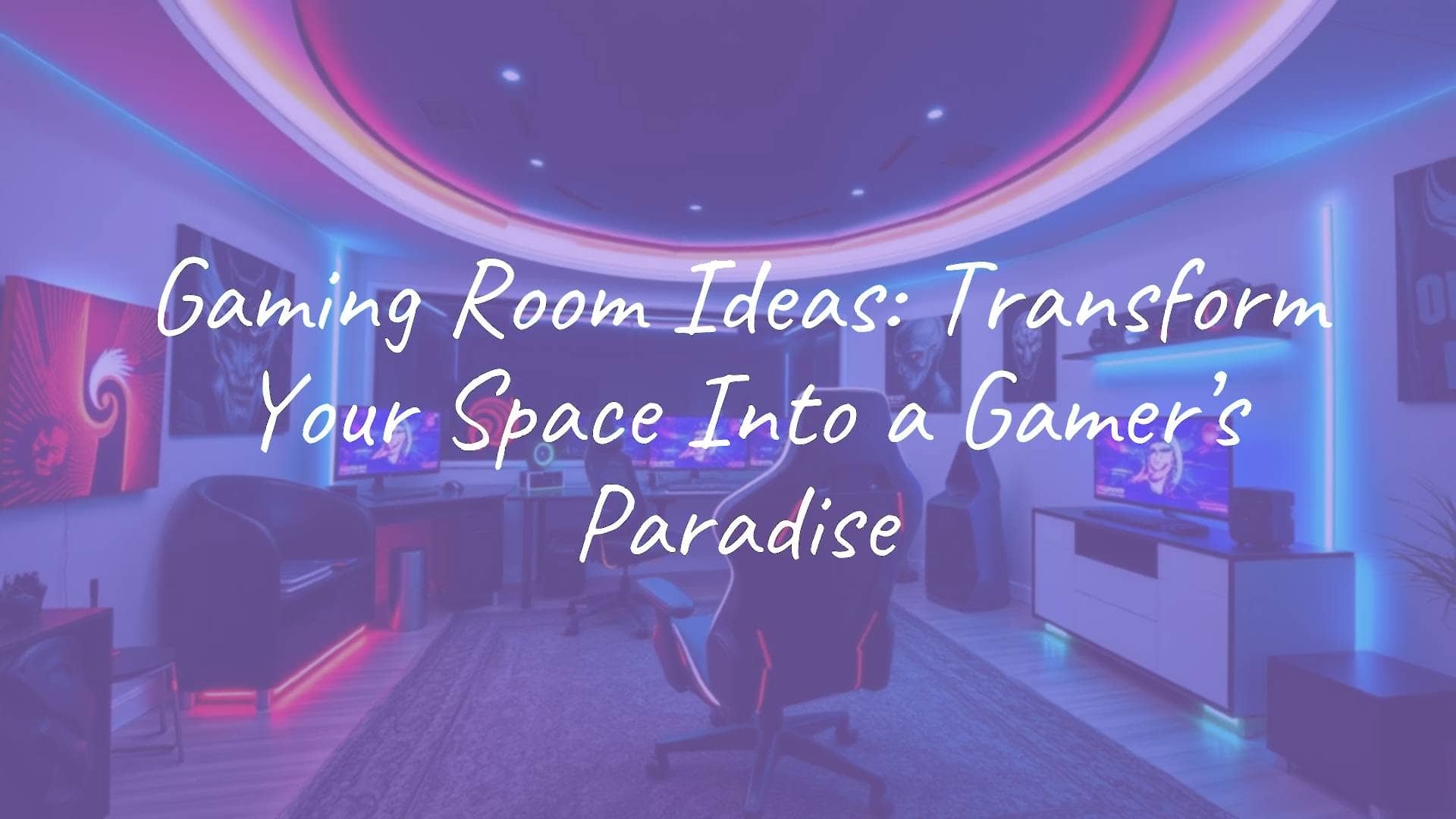
Looking for gaming room ideas really means figuring out how to build a focused, comfortable space where tech, style, and relaxation all work together. A gaming room is a dedicated entertainment area made to pull you into the action, whether you’re fighting in an online match, hosting poker night, or replaying old-school 8-bit games. It’s where good seating, smart layout, and cool looks turn an ordinary room into a place to escape daily stress.
To get a great setup, you need more than a desk and a chair. You’ll want to think about layout, lighting, storage, and how the room shows off your personality. From neon-lit PC “battle stations” to soft, kid-friendly console corners, the best gaming room ideas focus on how you actually play, while keeping the space flexible for new gear, parties, and guests.

What Is a Gaming Room?
A gaming room is a space arranged on purpose around playing games. Unlike a regular living room where gaming is just one of many activities, this room is built around screens, tables, and seating that all serve the game experience. Every detail-from power outlet locations to where you put sound panels-is planned. Snacks and drinks are nearby, blackout curtains keep the outside world out, and surround sound helps you forget what’s happening beyond the door.
Hardware isn’t the only thing that matters. A good gaming room helps you focus and relax. For some people, that means a clean, simple setup with a single fast monitor and no clutter. For others, it’s a bold, busy space full of figures, posters, and collectibles. What really defines it is how well tech and decor work together to create a mood that makes sitting down to play feel special every time.
Different Types of Gaming Rooms
Gaming rooms vary a lot based on what you play and how you play. The PC Gaming Room is one of the most common types. These rooms often feature high-performance PCs, multiple monitors, and colorful RGB lighting. The desk is usually large, the chair is ergonomic, and everything is set up to be comfortable during long gaming or streaming sessions.
Console Gaming Rooms usually feel more like small home theaters. They center around a big 4K TV or projector with comfy couches or sectionals. Retro Arcade Rooms lean into nostalgia, using arcade cabinets, pinball machines, and vintage-style neon signs. Tabletop and Board Game Rooms focus on face-to-face play, with big tables, bright lighting, and chairs arranged so everyone can see each other easily.

Who Uses Gaming Rooms and Why?
These spaces are not just for teenagers. Many different people use gaming rooms. Streamers and content creators treat them like studios, with spots for cameras, green screens, and sound control. Working adults might use them as upgraded “man caves” or “she sheds,” with bar areas and lounge seating for sports, party games, or casual FIFA matches.
Families often turn a room into a shared game space so kids can play games like Mario Kart or Just Dance without taking over the main living room. These setups can become family hangout spots where parents and kids play together. Whether it’s a small Minecraft corner for one child or a regular poker hangout for a friend group, the main purpose is the same: a set place for fun and connection.
How to Choose the Best Space for a Gaming Room
Picking the right room is the first big step. Think about natural light, privacy, and noise. Lots of windows are nice, but they can cause screen glare. A darker basement is great for light control but might need extra airflow. You want a room where sound from speakers and excited shouts won’t bother everyone else in the house.
Think about how your home is laid out. A gaming room near the kitchen makes grabbing snacks easy, while an attic might feel more like a getaway. If you plan to have people over, choose a space that’s easy to reach and big enough for movement. For a social gaming room, a 12×12-foot space is usually a good starting point so people can walk around without bumping into gear.
Using Spare Bedrooms, Basements, Garages, or Attics
Spare bedrooms are often the easiest to convert because they already have insulation, outlets, and doors. Bedroom closets are great for storing games, spare controllers, and even networking gear. Basements are also excellent, since they stay cooler and naturally feel like a separate “den.” With some DIY work and re-used furniture, a basement can turn into a great gaming space without a huge budget.
Garages and attics usually need more work for insulation and temperature control, but they offer a lot of space. A rarely used garage can become a roomy game area with new flooring and basic insulation, perfect for large pieces like pool tables or arcade machines. Attics can feel warm and cozy thanks to sloped ceilings, but you’ll need to pay attention to airflow. Fans or a small AC unit are important to keep both you and your hardware from overheating.

Sharing the Room with Other Uses
If you don’t have a spare room, you can still add a gaming area. A “cloffice” (closet office) or a gaming corner in the living room can work very well. A sectional sofa can act like a wall, separating the gaming side from the rest of the room. A rug under the gaming area can visually mark it as a different zone, even in one open space.
Many people now use an Office-Gaming hybrid. If you work from home, having a desk that can switch from work to play during breaks can make the day more fun. You might set up separate lighting scenes-bright, white light for work, and colored backlighting for games. By giving just a portion of your office to gaming, you keep the space professional for calls but still have your hobby nearby.
Key Parts of a Good Gaming Room Setup
A strong gaming room is built from lots of small details working together. It isn’t just about having a giant screen. Sound control is easy to forget, but very important. Foam panels, thick rugs, and heavy curtains help keep noise in and echoes down. This improves both game sound and voice chat.
Internet and wiring are the core of most setups. Since so many games are online, a good router or wired Ethernet line to your desk makes a big difference in lag. You should also plan how to handle power early. Use multi-outlet power strips with surge protection and mount some of them under the desk to reduce visible cords and messy tangles.
Room Layout and Space Planning
Start by deciding what you want people to face. Is the main focus your monitors, a TV, a pool table, or an arcade machine? Arrange chairs and couches so they point at that feature while leaving clear walking paths. If you have multiple activities-like a console area and a dartboard-give each one enough room. For example, a pool table needs open space around all sides so players can move their cues.
Use wall space as much as possible, especially in smaller rooms. Floating shelves can hold games, figures, or collectible items without taking floor space. Wall-mounting consoles or controllers can also make the room look clean and modern. Try to keep at least a small “hangout” area-bean bags, a big ottoman, or extra chairs-for people who are watching rather than playing.
Lighting for Comfort and Immersion
Lighting sets the mood faster than almost anything else. Avoid strong overhead bulbs that glare on screens and tire out your eyes. Use layers of light instead. RGB LED strips behind monitors or under desks give a soft, colored glow that makes screens stand out without being harsh. Smart bulbs let you change the whole room’s color to match your game-red for intense battles, soft blue for calm exploring.
Accent lighting adds personality. Neon signs, lava lamps, or string lights can give a retro or arcade feel. If you have windows, blackout curtains are very useful, especially with projectors. Even a bit of daylight can wash out a projected image and spoil the theater effect.

Sound Quality and Room Acoustics
Good sound makes your games feel real. A strong surround sound system lets you hear where footsteps and effects are coming from. You can either build speakers into walls and ceilings or place a 5.1 or 7.1 set around your main seating. If you share the house with others, a good pair of noise-canceling headphones can give you the same sense of immersion without bothering anyone.
Room surfaces matter too. Hard floors and bare walls bounce sound around, causing echoes. Soft rugs, padded furniture, curtains, and fabric wall hangings soak up sound and make things feel warmer and clearer. For serious setups, acoustic foam panels placed in patterns along the walls help control echo and can double as modern wall art.
Temperature and Comfort
PCs and consoles generate a lot of heat. In smaller rooms, things can warm up quickly. Make sure the room has good airflow. If there’s no window, consider a strong fan or a portable AC unit. PC players should keep vents clear and might want a laptop cooling pad or a case with plenty of space around it for air to move.
Comfort also comes from what you touch. Soft blankets, cushions, and good support for your back and neck matter during long sessions. Mesh chairs breathe better in warm rooms, while leather or faux-leather recliners feel more luxurious. The aim is to stay focused on the game, not distracted by a sore back or sticky seat.
Popular Gaming Room Ideas and Inspiration
Your design can come from your favorite game, movie, decade, or interior style. Some players like a clean “Minimalist” look with hidden cables, white furniture, and gentle natural light. Others enjoy a “Cyberpunk” style with purple and blue neon, metal textures, and very visible tech. Pick a theme you enjoy and stick fairly close to it so the room feels consistent.
A growing style is the Nature-Inspired Gaming Room, which mixes tech with green plants, wood finishes, and earthy colors. This softer look can calm your mind when playing competitive games. Whether you choose a bold sports theme or a cozy “cottage” style, try to let your interests as a gamer show in the decor.
PC Gaming Room Themes
PC setups often become the visual center of the room. One popular look is “Monochromatic Stealth”, where almost everything is black or dark gray and the only color comes from a single LED accent. This clean, serious style photographs well for social media and streams. L-shaped desks are very common in this type of setup because they leave plenty of space for monitors, speakers, and mouse movement.
Another style is “Retro-Futuristic”. This mixes modern hardware with 80s-inspired visuals like synthwave posters, neon gradients, and pixel art. Mechanical keyboards with translucent keycaps show off bright lighting. An open-frame or wall-mounted PC case can act as a showpiece, turning cables and cooling loops into part of the decor.

Console Gaming and Media Rooms
Console areas usually prioritize comfort on the couch. The “Home Theater Hybrid“ uses a huge 4K TV, a clear sound system, and deep, soft seating. An entertainment unit with separate spaces for each console (PS5, Xbox, Switch, etc.) keeps everything organized and well ventilated. Mount the TV so your eyes line up with the center of the screen when you’re sitting, to avoid neck pain.
4K Gaming Projectors are great if you want a very large image. Playing on a big blank wall or a proper screen can make local multiplayer feel like an event. This is especially nice for split-screen games where each player gets more space. Add a row of movie-style recliners and you’ve got a full tournament lounge.
Retro Arcade Room Designs
A Retro Arcade Room brings back the feel of classic arcades. Start with at least one real or replica arcade cabinet or pinball machine. Shorter “1Up” style cabinets work well in tight rooms. Decorate with bold patterns-pixel designs, checkerboards, or 80s shapes-and bright neon wall art of icons like Pac-Man or Space Invaders.
Add stools with chrome details, a jukebox, or small cafe tables for drinks. Framed cartridge labels or old game boxes help build a sense of history. Keep the lighting low so the glow from screens, marquee lights, and signs stands out, just like in old arcade halls.
Tabletop, Board Game, and Card Game Areas
Tabletop rooms need good lighting and a solid surface more than screens. A round table makes it easy for everyone to see the board and talk to each other. Fans of strategy games might want a custom gaming table with a recessed play area and felt surface to keep pieces in place and make cards easier to pick up. Use bright, even overhead light so rules and small print are easy to read.
Storage is key if you own many games. Tall shelving, such as Kallax units, fits large board game boxes nicely. Clear trunks or acrylic bins keep games visible and easy to grab. For poker or card nights, a proper card table with cupholders and chip trays adds a casino feel. A small drink station nearby makes refills quick without stopping the game.

Kids’ and Family Gaming Rooms
A family room for games should be fun, sturdy, and safe. Use bright colors like red, green, and purple to create energy. Bean bags and floor pillows are perfect for kids because they’re lightweight and easy to move around for handheld gaming or co-op play. Themes can range from Mario walls with pipes and clouds to more neutral cabins with wood and faux fur.
Organization matters in family spaces. Bins or baskets with handles make it easy to toss in toys, controllers, and cables. This keeps the floor clear for movement games. A wall-mounted chalkboard or whiteboard lets kids track scores or draw their favorite characters. Having a clear “play area” helps keep gaming clutter out of the rest of the house.
Sports and Party Game Rooms
If you enjoy hosting, a Sports-Themed Game Room can be a great choice. Decorate with framed jerseys, signed balls, and team colors. Place one main attraction, like a pool or foosball table, in the center. Foosball works very well in smaller rooms and gives fast, exciting play. Bar stools around the game let people sit and chat between turns.
Other party games like darts or shuffleboard keep guests active. A drink station or small bar in the corner keeps snacks and drinks close. Mount a TV near the bar so people can watch a live game while playing their own. The aim is to keep energy levels high and give everyone something to do.
Design Tips for Small and Multi-Use Gaming Spaces
You don’t need a huge basement to have a great gaming room. In small places, “less is more” often works best. Only keep gear you actually use and avoid unnecessary extras. Light wall colors help rooms feel bigger, and mirrors can reflect both light and space to make the area feel more open.
Access is also very important. You shouldn’t be squeezing between furniture or stepping over cables. Push larger pieces against walls and keep the center clear. If the room needs to work as both a guest room and a gaming room, use furniture that can fold, slide, or tuck away when visitors come over.
Smart Furniture Choices for Tight Rooms
Multi-use furniture can solve many problems. A pool table that converts into a dining table or a big storage ottoman that works as a seat, footrest, and controller box all at once saves space. A C-shaped side table can slide over the arm of a couch for laptops and snacks, avoiding the need for a big coffee table. For PC players, a compact desk-around 47 inches wide-can still fit a monitor and keyboard without crowding the room.
Work up the walls when the floor is full. Mount hooks for headsets and controllers. Use monitor arms to move screens up and back when you’re not gaming. If you turn a closet into a gaming nook, remove the doors and install shelves at desk height. This creates a built-in feel while leaving the main floor area open.

Blending Gaming with Offices, Bedrooms, or Living Rooms
The trick to a shared room is creating clear “zones.” You can separate the gaming area by using a different paint color, wallpaper, or lighting. In a bedroom, keep most of the space calm and neutral, but let your desk corner be bright and colorful with RGB lighting and themed decor.
In a living room, a TV stand with built-in storage can hide consoles when not in use. Choose an office chair that looks good in a normal living space but still supports long gaming sessions. Try to match the finishes and colors of your gaming furniture to the rest of the room so nothing feels out of place.
Avoiding Clutter and Keeping Things Easy to Reach
Trying to fit too much into one room is a common problem. If walking around means turning sideways or squeezing past tables, it’s time to cut back. Keep only current consoles and favorite games on display and store the rest in boxes or cabinets.
Make sure you can easily reach all switches, outlets, and ports without dragging furniture around. Use cable management sleeves to bundle wires together and keep them from becoming tripping hazards. Leave enough legroom around chairs and tables so guests can sit comfortably. Good organization makes any room feel larger and more welcoming.
Best Gaming Room Furniture and Storage Ideas
The furniture you choose sets the base for comfort and style. It’s tempting to pour all your money into hardware, but remember you spend hours sitting on the chair and touching the desk. Sturdy desks made from materials like reclaimed wood and steel give you long-lasting support and a strong visual look.
Storage is just as important. A messy room feels stressful. Look for smart storage that hides clutter (cables, power bricks, and boxes) while highlighting the items you’re proud of, like special controllers or collector’s editions. Built-in shelves are ideal because they can be sized exactly to your wall and adjusted for your game collection.
Ergonomic Gaming Chairs and Seating
Your chair might be the single most important piece of gear you buy. Racing-style gaming chairs often have tall backs, bold designs, and sometimes extras like built-in speakers or rumble features. But a good ergonomic office chair may offer better back support and breathability with a more subtle look. Pick one where you can adjust the height, tilt, and armrests.
For console play, big sofas, recliners, or dedicated “gaming loungers” can feel more relaxed. Modern bean bags filled with dense foam now provide much better support than old ones. In bar or snack areas, high stools with backrests help people stay comfortable while chatting. Always try to match seat height to screen height so you aren’t constantly looking far up or down.
Desks, Tables, and Multi-Use Pieces
A solid gaming desk should be deep enough for a comfortable viewing distance and wide enough for your monitor, keyboard, and mouse. Height-adjustable standing desks are great if you like to stretch and stand for part of your session. Desks with built-in cable trays or grommets make routing wires much easier.
For board and card games, a big round or rectangular table is the main feature. Some gaming tables have removable tops so you can hide a half-played game underneath and switch to dinner mode. In very tight rooms, wall-mounted fold-down desks give you a work/gaming surface when needed, then fold away to free the floor.
Built-In Shelves and Clever Storage
Built-in shelves that reach from floor to ceiling make the most of vertical space and give a custom look. You can organize games by console, genre, or color. Matching bins or baskets help hide smaller accessories like chargers and VR gear, reducing visual clutter.
Use hidden spaces too. An oversized ottoman with a lift-top can hide board games and extra controllers. If there’s no bed in the room, rolling under-bed bins are perfect for older titles you still want to keep. In a closet gaming nook, shelves above the monitor can hold your PC tower or speakers to keep the desktop clear.
Using Gear as Decor
Your gaming gear can double as decoration. Wall-mounted brackets for controllers and headsets look stylish and keep equipment ready to use. Vintage handheld systems can sit on small stands or inside shadow boxes. A PC with a glass side and clean internal cable work becomes its own display piece.
Game covers and posters can form a themed gallery wall. Frame your favorites for a polished look. If you have a pool table, use a proper wall rack to hold the cues rather than leaning them in corners. Treating your equipment like art turns the room into a celebration of gaming, rather than just a place that happens to have gear in it.
Decor and Lighting for Theme and Mood
Decor is where your personality really shows. When picking colors, think about how you want the space to feel. Dark shades like charcoal, navy, or deep green create a cozy “cave” feel that suits story-driven or horror games. Lighter colors and natural finishes like wood and stone feel more open and are great for shared spaces and streaming.
Use lighting to bring attention to your favorite items. Small spotlights inside shelves can highlight figures or collector’s editions. A single neon sign on the wall can act as the main style piece. Keep a separate task lamp for reading manuals or doing PC maintenance so you aren’t relying on just mood lighting when you need to see clearly.
Wall Art and Color Palettes
Wall art is the easiest way to set a theme quickly. Frame your posters instead of taping them up for a cleaner look. You can create a photo mural from high-res game screenshots or paint a big landscape from a favorite game world.
Let your color scheme run through furniture and accessories, not just paint. For example, a Portal-inspired room could use white furniture and orange/blue lights. A retro setup might lean on wood tones and warm sunset colors. Try to stick to two or three main colors so the room feels coordinated.
Accent Lighting: LEDs, Neon, and Smart Bulbs
Modern gaming rooms often rely on creative accent lights. LED strips can go behind TVs, around desks, or along ceilings to create a soft glow. Many strips are app-controlled so you can quickly change colors for different games or moods. Some systems even react to on-screen content.
Neon adds an old-school arcade vibe, whether you choose a custom sign with your handle or a simple “Game On” logo. Smart bulbs in ceiling fixtures let you dim the main lights or switch from bright white to warm color scenes with your phone or voice. Avoid making the room too bright-balance is key so screens still look sharp.
Game-Inspired Decor Ideas
Game-themed decor can be obvious or subtle. Figures, statues, and replica props (like swords, helmets, or devices from well-known games) make strong visual statements. Softer touches might include pixel-art rugs, themed cushions, or lamp designs that nod to certain franchises without using logos.
Little details go a long way: coasters shaped like cartridges, 8-bit magnets on a mini-fridge, or a themed doormat at the door. High-quality pieces like a carved chess set or a nice notebook for tracking campaigns give the room a more mature flair while still honoring your hobby.
Tech and Equipment Must-Haves for Gaming Rooms
Decor creates the look, but tech makes the room function. Pay attention to performance stats like refresh rate, response time, and input lag. Make sure your sound system and displays support the formats your consoles and PC use. Good HDMI cables (such as HDMI 2.1) help you get full quality from 4K and high-frame-rate hardware.
Don’t overlook network gear. A fast, stable internet connection is key, especially for online shooters and streaming. If you can’t run Ethernet, consider a mesh Wi-Fi system to avoid dead zones. A headset stand with built-in USB ports can help charge controllers and headsets while keeping the desk clean.
Displays: Monitors, TVs, and Projectors
Different gamers favor different displays. PC players often prefer high-refresh-rate monitors (144Hz or more) for smooth action. Two monitors can make a big difference, letting you use one for the game and the other for chat, music, or guides. Ultrawide screens offer more field of view and can make racing and simulation games feel more realistic.
Console players often go for a 4K OLED TV for deep blacks and rich colors. If you want a cinema feel, a good gaming projector and screen can throw a huge image with low input lag. Before buying, check how far the projector needs to be from the wall to reach the size you want and make sure your room is long enough.
Placing Consoles and PC Hardware
Where you put your consoles and PC affects both looks and lifespan. Electronics need space for air to move. Avoid completely closed cabinets unless they have vents or mesh doors. Wall-mounting consoles can save shelf space and show off the design of the devices.
For PCs, some people like the tower on the desk, others on the floor. On the desk, it’s easier to admire and to reach the ports, but it takes up space. On the floor, it can collect more dust. A small platform or shelf next to the desk keeps it off the carpet while freeing up desktop room.
Speakers and Headsets
Sound makes a big difference in how games feel. A surround sound system with a subwoofer gives explosions and music real impact. In-wall or in-ceiling speakers can make wiring cleaner during a remodel, and a good Atmos soundbar is a space-saving alternative that can still create a roomy sound field.
Headsets are important for both late-night play and competitive matches. Store them on a headset stand to prevent wear and keep them nearby. Wireless models offer freedom to move around, while wired ones remove battery worries and can reduce latency. If you use an external mic, a boom arm lets you swing it into place when needed and push it away when you’re done.
Power and Cable Management
Wire mess can ruin an otherwise nice room. Start with a good surge-protected power strip from a reliable brand. Bundle sets of cables into sleeves so they look like one neat line rather than many tangled cords. Small adhesive clips help run cables along the backs of desks or baseboards.
Under-desk trays are great for hiding power bricks and extra cable slack. For wall-mounted TVs, brush plates let you run HDMI and power cables through the wall for a clean, “floating” effect. It takes some setup work but results in a much more polished look.
Extra Features to Level Up Your Gaming Room
What separates an average gaming space from a truly memorable one is often the extra comforts. Think about features that let you stay in the room longer without having to go back and forth to the kitchen or another area. A mini-fridge for cold drinks and a snack shelf nearby can make long sessions more enjoyable.
Social add-ons matter too. If you stream, a small area set up with a webcam, green screen, and lighting can turn the room into a part-time studio. If you host often, a lounge spot with extra chairs or a daybed gives people somewhere comfortable to relax when they’re not holding a controller.
Snack Bars, Mini Fridges, and Drink Stations
A small “refuel area” is very handy. A mini-fridge tucked under a desk or in a corner can hold water, soda, and energy drinks. With more space, you can add a simple bar counter with stools for extra seating and snack prep.
Use a snack cart or dedicated shelf to hold chips, candy, and other quick bites. Glass jars or clear bins look tidy and make it easy to see when you’re running low. Place a small trash can or recycling bin nearby so wrappers don’t pile up on tables.

Scoreboards and Streaming Gear
A chalkboard or whiteboard can track scores, match records, and tournament brackets. It gives your room a fun, competitive feel and can be updated easily. For streamers, think of your background and lighting like a stage. A headset stand that charges devices, a good webcam at eye level, and a foldable green screen can all help.
Streaming benefits from good lighting even more than regular gaming. A ring light or a flat panel light in front of you brightens your face clearly for the camera. RGB light bars or wall panels behind you add motion and color for viewers. Sound treatment helps your mic pick up your voice clearly without room noise.
Social and Relaxation Zones
A strong gaming room welcomes both players and spectators. Add a social zone with a sofa, bean bags, or a daybed so friends can watch and relax. A daybed also works as a nap spot after long nights or as an extra bed when guests stay over. If space allows, a small round or bistro table gives people a surface for cards, snacks, or laptops.
Including some non-gaming items makes the room feel more rounded. A shelf of books or comics, a record player, or a guitar on a stand can turn it into a general creative room. Mixing soft fabrics, personal objects, and cool tech makes the space warm, welcoming, and useful even when you’re not actively gaming.
Frequently Asked Questions About Gaming Room Ideas
People often worry about space, budget, and how much work a gaming room will take. Remember that it can grow over time. You can start with a basic desk, chair, and console or PC, then keep adding pieces as money and needs change. The most important thing is that the room feels good to be in and supports how you like to play.
Many common questions deal with hiding wires, picking lights, and choosing where to put big items. Usually the best answers mix simple store-bought items like cable sleeves with easy DIY projects. Focus on three main areas: comfort (seating and ergonomics), performance (internet and hardware), and mood (lighting and decor). Once those are in place, the rest is easier.
What Is a Good Size for a Gaming Room?
The right size depends on what you’re trying to do. A solo PC gamer can be very comfortable in a 10×10-foot bedroom. If you want a pool table, you need enough space all around it for players to move, plus room for other furniture. For a social rec room with a couch, TV, and a small bar, 12×12 to 15×15 feet usually feels good without being crowded.
In very small spaces, focus on efficiency with vertical storage and multi-use furniture. In very large basements, break the area into zones with rugs and furniture groupings so it doesn’t feel like one giant, empty hall. Create a clear gaming area, a separate lounge spot, and maybe a snack or bar area.
How Much Should You Spend on a Gaming Room?
Costs can range from a few hundred dollars to many thousands. A budget-friendly setup might reuse an existing desk and chair, pick up a second-hand gaming chair, and use a blank wall for projection instead of a screen. Doing your own shelving, painting, and framing can save a lot of money and add a personal touch. Put most of your early budget into a good chair and solid internet.
A mid-range budget might cover branded desks and chairs, smart LED lighting, and a decent speaker system. High-end rooms can include full soundproofing, custom cabinets, 4K projectors, and premium ergonomic seating. A good approach is to divide spending into must-haves and nice-to-haves. Buy the basics first, then add lighting, decor, and extras later as you see what you really use.
What Materials Work Best for Gaming Room Furniture?
Look for strong, durable materials. For desks, solid wood or quality MDF with a sturdy frame holds up well under multiple monitors and heavy PCs. Metal legs or frames add stability. For chairs, mesh keeps you cool during long sessions, while PU leather is easier to wipe clean.
In busy family rooms, choose stain-resistant fabrics for sofas and bean bags. For tabletop gaming, a felt or speed-cloth surface is great for rolling dice and handling cards. Avoid cheap plastic pieces that wobble or wear out quickly-you’ll likely end up replacing them sooner and spending more overall.
What Common Mistakes Should You Avoid?
The biggest mistake is ignoring cable management. Tangled cords look bad, collect dust, and can even be risky. Another issue is poor ergonomics-screens set too high or too low, or chairs that look good but hurt your back. Always put your comfort and health first.
Many people underestimate the effect of bad lighting and echoey sound. One harsh ceiling lamp or bare room can make even the best gear feel underwhelming. Also, resist the urge to cram every possible toy into the room. Leave some open floor area so you and your guests can move easily.
Looking ahead, gaming rooms are becoming more connected to smart home systems. Lights, temperature, and even scents can sync with games or scenes. VR and AR are pushing people to clear more floor space so they can move safely while wearing headsets. More people are also noticing how helpful it is to have a room that tells your brain, “This is where we relax and have fun.” Whether you’re casual or hardcore, your gaming room is a personal space built for enjoyment, comfort, and your love of games.











![What to with Scrap Metal? [infographic]?](https://facts-homes.com/wp-content/uploads/2019/07/645413-POPYOV-391-120x86.jpg)